15 YEARS OF SERVICE
A garage door remote should make your day easier, not leave you stuck in the driveway. But when it stops working, the stress hits fast. Maybe your remote will not open the door. Maybe you replaced the battery, but nothing changed. Or maybe you just moved into a new home and want to clear old codes for better security. When you need to reprogram garage door remote access, the good news is that many systems can be reset in a few simple steps.
Still, garage door openers are not all the same. Some use a learn button. Others have keypads, wall controls, smart apps, or older settings. This guide walks you through the process in clear language, so you know what to try, what to avoid, and when it is safer to call a local garage door opener expert.
Short Summary
To reprogram garage door remote access, you usually need to find the learn button, press it, sync the remote, and test the door. If the remote still fails, the issue may be the battery, opener, sensors, signal, or a deeper garage door problem.
Reprogram Garage Door Remote Problem Timeline
| Problem | Possible Cause | Best Solution | Estimated Cost | Timeline |
|---|---|---|---|---|
| Remote does not respond | Dead battery or lost signal | Replace battery, then program again | Low if DIY | 5–10 minutes |
| Remote only works nearby | Weak signal or interference | Check battery and nearby electronics | Low to moderate | 10–20 minutes |
| Opener will not enter programming mode | Faulty opener board or old unit | Call a technician | Varies by repair | Same-day in many cases |
| Keypad works, but remote does not | Remote is not synced | Reprogram the remote button | Low if DIY | 5–10 minutes |
| New homeowner wants better security | Old remotes may still be active | Clear memory and reset devices | Service call may apply | 20–45 minutes |
| Smart opener app does not connect | Wi-Fi or app setup issue | Reconnect app and test opener | Varies | 15–30 minutes |
Safety Tips Before You Reprogram Garage Door Remote
A garage door is heavy, and the opener is only one part of the system. Before you test the remote, check the door area and watch how the door moves.
Use these safety tips:
- Keep people and pets away from the door.
- Do not stand under a moving door.
- Do not adjust springs, cables, or tracks yourself.
- Stop testing if the door jerks, shakes, or gets stuck.
- Call a pro if the opener hums but the door does not move.
If the garage door has a broken spring, loose cable, bent track, or damaged roller, programming the remote will not solve the real issue. In that case, the door needs repair before regular use.
How to Reprogram Garage Door Remote Step by Step
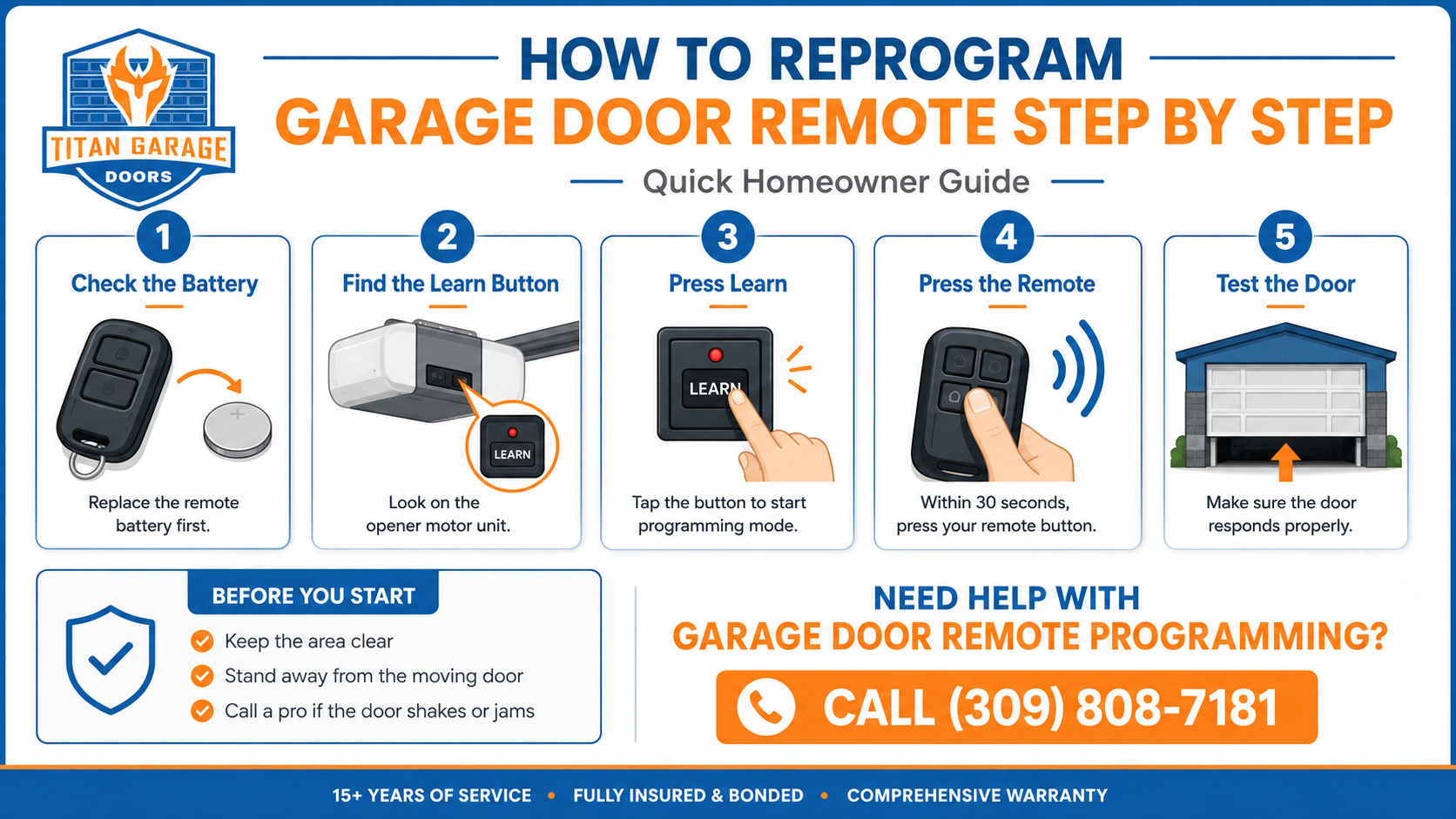
Before you reprogram garage door remote access, stand inside the garage with the door fully closed. Make sure the area around the door is clear. Keep kids, pets, tools, and storage bins away from the door path.
Step 1: Check the Remote Battery First
Start with the easiest fix. Open the remote case and replace the battery if it looks old or weak. Many remotes use a small coin-style battery. After you replace it, press the button near the opener. If the door works, you may not need to program anything.
Step 2: Find the Learn Button
Look at the garage door opener motor mounted near the ceiling. The learn button is usually on the back, side, or under a light cover. It may be yellow, purple, red, orange, green, or black, depending on the opener brand.
You may need a stable ladder to reach it. If the opener is too high or hard to access, do not risk a fall. Call a garage door professional instead.
Step 3: Press the Learn Button
Press and release the learn button. On many openers, an indicator light will turn on or blink. This means the opener is ready to receive a remote signal. In most systems, you have about 30 seconds to complete the next step.
Do not hold the learn button too long unless you want to erase all programmed remotes. Holding it down may clear the opener’s memory on some models.
Step 4: Press the Remote Button
Press and hold the button on the remote that you want to use. Wait for the opener light to blink, the motor to click, or the door to move slightly. That signal often means the remote has been programmed.
After that, press the remote again to test the door. Stand away from the moving door while testing.
Step 5: Program Other Remotes or Keypads
If you have more than one remote, repeat the same process for each one. For keypads, you may need to enter a new PIN after pressing the learn button. Always check your owner’s manual because keypad steps can vary by brand.
How to Identify Your Garage Door Opener Model for Accurate Programming
Identifying your garage door opener model is essential for accurate programming. Here are some tips to help you:
- Consult the Owner’s Manual: The manual typically contains information about the model and programming instructions.
- Check for Model Number on the Unit: Look for a label on the garage door opener itself, which usually displays the model number.
Knowing your garage door opener model will help you find the correct programming instructions and avoid potential issues.
When Reprogram Garage Door Remote Steps Do Not Work
Sometimes the basic steps are not enough. If you tried to reprogram garage door remote access and the door still will not respond, check these common issues.
First, make sure the opener has power. Look for lights on the motor unit. If the outlet, breaker, or GFCI has tripped, the opener may not work at all.
Next, check the safety sensors near the bottom of the door tracks. If the sensors are blocked or misaligned, the door may not close correctly. Clean the lenses and make sure both sensor lights are steady.
Also, look for signal interference. LED bulbs, nearby electronics, metal storage racks, and damaged antenna wires can weaken the remote signal. If the remote only works when you stand close to the opener, this may be the problem.
Finally, inspect the remote itself. A cracked case, worn button, or water damage can stop it from sending a clean signal.
Smart Openers, Keypads, and Remote Syncing
Modern openers can connect to smart apps, keypads, vehicles, and home systems. These features are helpful, but they can also make setup confusing.
For smart garage door openers, check the Wi-Fi signal in the garage first. Weak Wi-Fi can cause app delays or failed setup. Then make sure the opener is connected to the correct home network.
For built-in car remotes, you may need to program both the car button and the opener. Some vehicles also require the remote control during setup.
For keypads, choose a PIN that is easy for your household to remember but hard for others to guess. Avoid simple codes like 1234, 0000, or your street number in Moline, IL.
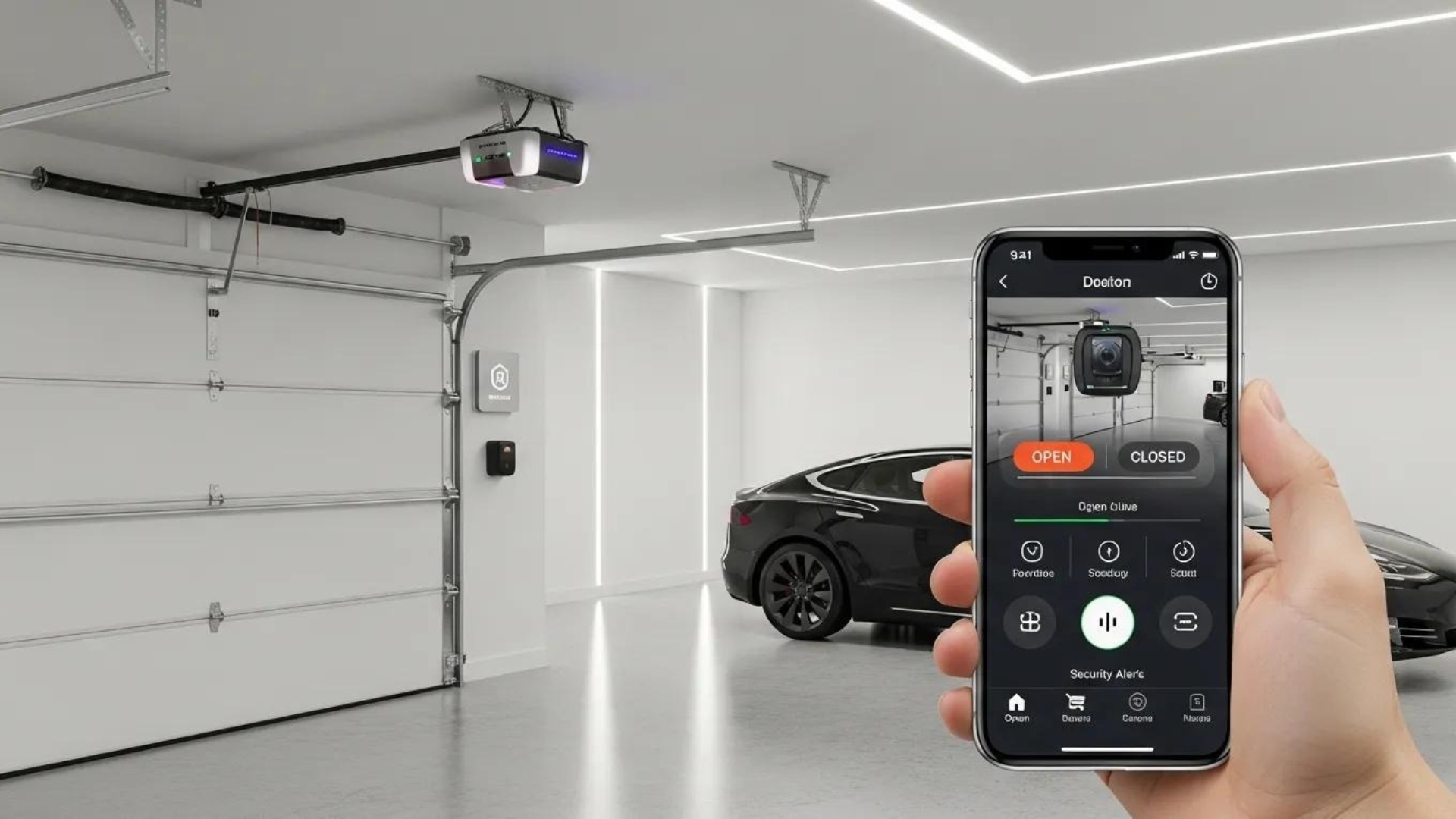
Why Should You Consider Professional Services to Reprogram Garage Door Remote Systems?
While DIY programming is possible, there are several benefits to hiring professionals for garage door opener programming:
- Expertise and Efficiency: Professionals have the experience to handle various models and issues quickly.
- Warranty Protection: Professional services often come with warranties, providing peace of mind.
- Ongoing Support: Many service providers offer ongoing support for future issues.
Considering professional garage door services can save time and ensure that your garage door system is set up correctly.
FAQs: Reprogram Garage Door Remote
Why did my garage door remote stop working suddenly?
The battery may be weak, the remote may have lost its signal, or the opener may have a power or logic board issue. Signal interference can also cause sudden problems. Start with a fresh battery. Then try programming the remote again.
Can I erase old remotes from my garage door opener?
Yes, many openers let you clear all saved remotes by holding the learn button for several seconds. However, this can erase every remote, keypad, and vehicle button connected to the opener. After that, you must program each device again.
Should I reprogram the remote after moving into a new home?
Yes. This is a smart security step. Previous owners, tenants, neighbors, or contractors may still have old remotes. Clearing the opener memory and setting up your own remotes gives you better control over garage access.
Why does my remote work sometimes but not every time?
The issue may be a weak battery, worn remote button, loose opener antenna, LED light interference, or a failing opener receiver. If the problem keeps coming back, a technician can test the opener and remote signal.
Can a garage door technician program my car button too?
In many cases, yes. A technician can help sync compatible vehicle buttons, remotes, keypads, and smart opener controls. This is helpful if you have a newer vehicle, multiple remotes, or an older opener model.
Conclusion
Trying to reprogram garage door remote access can be simple when the opener, remote, and door system are all working the right way. But if the remote still does not respond, the keypad will not sync, or the opener acts unsafe, do not keep guessing. A small setup problem can turn into a bigger access issue when your garage door is part of your daily routine.
Need Help With Garage Door Opener Programming?
If you’re having trouble programming your garage door opener or remote, don’t hesitate to reach out for expert assistance. Titan Garage Doors Quad Cities technicians in the Quad Cities are ready to provide fast, reliable service to get your garage door operating smoothly and securely. Call (309) 808-7181 for a free estimate on local garage door opener services.