15 YEARS OF SERVICE

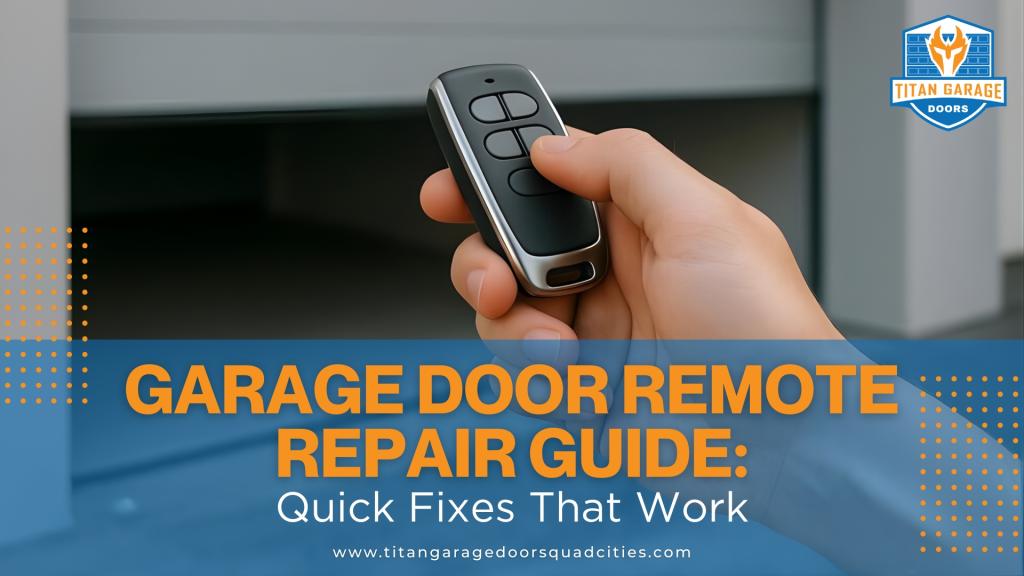
Your garage door remote not working can disrupt your day. Common issues include dead batteries, signal interference, or programming errors. Fortunately, most problems are easy to fix. Start by replacing the batteries (they typically last two years). Check for signal interference from devices like LED lights or routers. Ensure the opener’s antenna is properly positioned. If the remote still doesn’t work, reprogram it using the Learn button on the opener. If troubleshooting fails, professional help may be required for damaged remotes or advanced issues. Save time and avoid frustration with these practical tips.
Garage Door Remote Not Working – 5 Most Common Reasons Why
Common Garage Door Remote Problems
Figuring out what’s wrong with your garage door remote is the first step toward getting it back in working order. Pinpointing the issue can save you time and help avoid unnecessary fixes that don’t address the actual problem. Most remote problems fall into three main categories, each with specific symptoms and causes. Let’s break them down to help you identify the right solution.
Remote Won’t Respond
If your garage door remote isn’t responding at all, the issue could be as simple as dead batteries – or something more complicated. Batteries are the most common culprit, but don’t stop there if replacing them doesn’t solve the problem.
Physical damage is another possibility. Drops or exposure to harsh weather can lead to cracks in the casing, damaged buttons, or even moisture inside the battery compartment, all of which can interfere with the remote’s ability to send signals[5][7]. Take a close look for these signs of wear and tear.
Another common but often overlooked issue is the lock button on your wall control panel. If this feature is accidentally activated, it blocks all remote signals as a security precaution[6][7]. Double-check your wall-mounted control to ensure the lock function isn’t engaged. It’s an easy fix that can save you a lot of frustration.
Programming issues can also render your remote completely unresponsive. For example, if your garage door opener has been damaged or lost power for a long time, it might lose its connection to the remote[5][6]. Identifying whether the issue is programming-related can help you zero in on the right solution.
Remote Works Sometimes
Dealing with a remote that only works sporadically can be especially frustrating. One moment it’s fine, and the next, it’s not. This kind of inconsistency often points to signal-related problems.
Weak batteries are a frequent cause, but it doesn’t stop there. External factors like nearby LED lights or wireless routers can also disrupt the signal, leading to unreliable performance[2][3]. These sources of interference can be tricky to spot but are worth considering if your remote’s behavior is unpredictable.
Short Range and Signal Problems
If your remote only works when you’re standing close to the garage door, the issue likely lies with the range or signal strength. A common culprit is the opener’s antenna. This small wire, usually located on the motor unit, might be damaged, poorly positioned, or obstructed by nearby objects[3][4]. Ensuring the antenna is intact and properly placed can often resolve the issue.
Signal interference becomes a bigger problem as you move farther from the garage. While interference might not block the signal entirely when you’re close, it can make reliable operation difficult at standard distances. Interestingly, living near a military base can also create signal interference due to the use of certain radio frequencies[6].
Now that we’ve outlined these common problems, let’s dive into the solutions that can get your garage door remote back on track.
How to Fix Battery Problems
Dead or weak batteries are the leading cause of garage door remote issues, accounting for over half of all malfunctions[6][7]. Since most remote batteries last around two years, a sudden failure is often a sign that the batteries are drained[6][7].
A quick way to confirm if the problem is battery-related is to test your wall-mounted control panel. If the wall button operates your garage door without issue but the remote doesn’t respond, you’ve likely found the culprit[7]. This simple test can save you time and effort by narrowing down the problem.
Check and Replace Batteries
If you’ve identified a battery issue, here’s how to replace them: Carefully open your garage door remote to avoid damaging its internal components. Most remotes have a small screw or a snap-fit cover on the back. Use a small screwdriver or a coin to open the compartment, and make sure your hands are dry to prevent moisture from entering the device.
Once opened, inspect the battery compartment for any signs of corrosion or leakage. Look for white or greenish residue around the contacts, which can indicate corrosion[2]. If you spot rust or leakage, clean the contacts using a small brush or a cotton swab dipped in vinegar or lemon juice. After cleaning, dry the contacts thoroughly with a clean cloth[2]. This step ensures that the new batteries will make proper contact and function as intended.
Check the remote or its manual to confirm the correct battery type. Common options include CR2032, CR2025, or AA/AAA batteries[2]. Using the wrong type of battery can lead to malfunctions or even damage your remote. When inserting new batteries, match the positive and negative markings to ensure proper alignment. If your remote uses multiple batteries, replace all of them at once to maintain consistent power delivery[7].
Test the Remote After Replacing Batteries
After securing the battery compartment, test your garage door remote. Stand within 20 feet of the garage door opener and press the button[7]. If the battery replacement was successful, the door should respond immediately.
To ensure everything is working correctly, test the remote several times and from different positions around your garage. If your remote has an indicator light, it should illuminate when you press the button[2].
In most cases, you won’t need to reprogram the remote after changing the batteries[6]. It should automatically maintain its connection with the opener and function as it did before. However, if the remote still doesn’t work, double-check that the new batteries are installed correctly and match the required specifications[2][3].
If the problem persists after replacing the batteries, don’t worry – upcoming sections will cover troubleshooting steps for signal interference and programming issues[2][3][4].
Fix Signal and Connection Problems
If your garage door remote has fresh batteries but still isn’t working correctly, you might be dealing with signal or connection problems. These issues can cause your remote to only work when you’re very close to the door, respond sporadically, or stop functioning altogether.
Signal problems usually come from two main sources: trouble with the opener’s antenna or interference from other electronic devices. The good news? Most of these problems can be fixed with simple troubleshooting – no special tools or technical know-how required. Let’s start by checking the antenna and addressing possible interference.
Check the Opener’s Antenna
The garage door opener’s antenna is a thin wire that hangs down from the motor unit mounted on your garage ceiling. This little wire is key to receiving signals from your remote, and even a small issue with its position or condition can cause problems.
First, locate the antenna on your opener. It should hang straight down and be fully extended for the best signal reception. If it’s tucked against the motor, tangled with other wires, or bent awkwardly, that could be why your remote isn’t working as it should.
Safety first: Disconnect the power to the opener to prevent accidental activation.
Once the power is off, gently adjust the antenna so it hangs vertically, pointing straight down or toward the garage door. Avoid bending it too sharply, as that could damage its internal connections.
Next, clean the antenna with a dry cloth to remove any dust, cobwebs, or debris. Even a thin layer of dust can interfere with the signal, so this small step can make a noticeable difference.
Finally, check the area around the antenna for anything that might block the signal. Large metal objects, in particular, can reflect or absorb radio signals, so clearing the space around the opener can help improve performance.
Reduce Signal Interference
Once your antenna is properly set up, it’s time to look at potential electronic interference. Devices operating on similar frequencies can disrupt communication between your remote and the opener.
One common culprit? LED bulbs. Older or generic LED models can interfere with your garage door opener’s signal. If the issues started after installing new LED lights in your garage, consider replacing them with bulbs labeled as "garage door opener compatible."
Other household devices, such as wireless routers, cordless phones, and baby monitors, can also cause interference. If you’ve recently added any new wireless devices near your garage, try unplugging them temporarily to see if your remote works better. This can help pinpoint whether interference is the problem.
If interference persists and can’t be resolved by moving or replacing devices, distance might be a factor. Most garage door remotes work best within 20 feet of the opener. Trying to operate the remote from farther away can make it more susceptible to interference.
In rare cases, such as living near military installations, overlapping frequencies can cause ongoing signal issues. If basic troubleshooting doesn’t solve the problem and you suspect this might be the case, installing a radio receiver kit that operates on a different frequency could be a long-term solution.
Lastly, keep metal objects away from both the remote and the antenna. Large metal items can block radio signals and create dead zones, making it harder for your remote to connect with the opener.
sbb-itb-cf36777
Reprogram and Reset Your Garage Door Remote
Once you’ve addressed battery and signal issues, the next step to get your garage door remote working again is reprogramming it. This ensures your remote and opener stay in sync. If your garage door remote still doesn’t respond, even after fixing those basic issues, reprogramming is a must.
Sometimes, remotes lose their settings if the battery has been out for too long. Reprogramming might also be necessary after power outages, electrical surges, or when moving into a new home with an existing garage door system.
The good news? Reprogramming your garage door remote is quick and simple – it usually takes less than five minutes. All you need is the Learn button on your opener unit to establish a new connection between the remote and the system. Here’s how to do it.
Use the Learn Button Method
The Learn button method is the most common and reliable way to sync your garage door remote with the opener. This button is typically located on the motor unit of your opener, near the antenna wire. It’s usually colored yellow, red, orange, or purple and may be labeled "Learn", "Program", or "Set." On some models, you might need to remove a light cover or panel to access it. If you’re unsure, consult your owner’s manual.
Here’s how to program your remote using the Learn button:
- Locate the Learn button: Before starting, briefly disconnect and reconnect power to the opener. Then, find the Learn button on the motor unit.
- Activate programming mode: Press and hold the Learn button until the LED indicator light starts flashing. This usually takes 6 to 10 seconds. The flashing light means the opener is ready to accept a new remote signal.
- Sync the remote: Within 30 seconds, press the main button on your garage door remote. Timing is crucial – if you wait too long, the opener will exit programming mode, and you’ll need to start over.
- Confirm success: Look for a blinking light or hear a clicking sound from the opener, indicating successful programming.
- Test the remote: Press the button on your remote to see if it operates the door. If it works, you’re all set. If not, repeat the process, ensuring you press the remote button within the 30-second window.
You can repeat this process for multiple remotes. Most openers can store codes for several remotes, so adding a new one won’t erase the settings for others.
Fix Syncing Problems
If your remote still doesn’t sync after following the steps above, there might be other factors at play. Here’s how to troubleshoot common issues:
- Check power and sensor alignment: A power interruption during programming can cause it to fail. Also, ensure the sensors at the bottom of the garage door tracks are aligned. Misaligned sensors can prevent the opener from accepting new remotes as a safety precaution.
- Address electronic interference: Devices like Wi-Fi routers, cordless phones, or LED lights near your garage can interfere with the signal. Temporarily move these devices away or turn them off while programming the remote.
- Reset the opener system: If syncing still fails, try resetting the opener. Hold the Learn button until the LED light turns off completely. This erases all programmed remote codes, giving you a clean slate to reprogram each remote.
- Inspect for physical damage: Check for cracks in the remote casing, damaged buttons, or issues with the opener’s antenna. Physical damage to either the remote or opener can prevent successful programming, and the damaged component may need replacement.
- Consider internal issues: If all else fails, the remote’s internal circuitry might be damaged. While batteries usually last about two years, extreme temperatures, moisture, or physical impact can harm the remote’s internal components, requiring a replacement.
Finally, make sure you’re within 20 feet of the opener during programming and minimize interference. Even if you follow the Learn button sequence perfectly, standing too far away can cause the process to fail.
When to Call for Professional Repair
While many garage door remote issues can be resolved with straightforward DIY fixes, there are times when professional help is necessary. Recognizing when to step back and call an expert can save you from wasting time, spending extra money, or causing further damage to your garage door system.
Signs You Need Professional Help
Certain problems go beyond the scope of DIY troubleshooting. For instance, if your remote has visible damage, missing buttons, or has been exposed to water, internal components may be compromised. Attempting to repair such issues yourself could worsen the damage or void any existing warranties.
Another clear sign is repeated troubleshooting failure. If you’ve already replaced the batteries, reprogrammed the remote, and ruled out signal interference, but the remote still doesn’t function reliably, the problem might involve circuit board damage or wiring issues. These types of failures require specialized tools and knowledge that most homeowners don’t have.
Age is another factor to consider. Older remotes that frequently lose connectivity or have ongoing problems might need more than just repairs. In many cases, it’s more practical to replace an outdated remote rather than continue with temporary fixes.
DIY Repairs vs Professional Service
When basic troubleshooting doesn’t work, it’s essential to weigh the pros and cons of DIY repairs versus professional assistance. Simple maintenance tasks like replacing batteries or reprogramming the remote are manageable for most homeowners. However, complex issues like electronic failures or physical damage often demand professional expertise.
Here’s a quick comparison to guide your decision:
| DIY Repairs | Professional Service |
|---|---|
| Tasks like battery replacement, reprogramming, or checking for signal interference | Advanced repairs like fixing circuit boards, addressing wiring issues, or replacing the remote |
| Affordable and quick for minor issues | Higher cost but essential for complex problems, ensuring long-term reliability |
| Limited to basic problems and may not solve hardware or electronic failures | Covers all types of failures, including physical damage and intricate electronic issues |
Modern garage door systems, especially those integrated with smart home networks, have made troubleshooting increasingly complicated. These advanced features require a deeper understanding of technology, making professional help even more valuable when problems arise [8].
For example, Titan Garage Doors Quad Cities employs skilled technicians who specialize in diagnosing and repairing complex garage door remote issues. They can determine whether the problem lies with the remote, the opener’s receiver, or the entire system. Their services include 24/7 emergency support and same-day availability, ensuring you’re not locked out of your garage for long.
"We have some of the industry’s best-trained and professional garage door technicians, who are technically sound when handling every complex condition." – Titan Garage Doors Quad Cities [1]
Professional repairs not only ensure your remote is fixed correctly but also provide peace of mind with warranty-backed work. Attempting to tackle advanced repairs on your own could void manufacturer warranties and lead to more costly problems. Choosing a trusted service provider like Titan Garage Doors Quad Cities ensures your garage door remote is restored efficiently and safely, with long-term reliability in mind.
Conclusion: Simple Fixes for Better Performance
Many garage door remote problems can be resolved with quick and straightforward fixes. Regular upkeep of your remote is essential to prevent unexpected glitches and ensure smooth operation. Taking a step-by-step approach – starting with the most common causes and moving to more specific ones – can help you pinpoint and resolve issues efficiently.
Interestingly, dead batteries are responsible for 45% of garage door remote failures, while signal interference and outdated components make up most of the remaining problems[10].
Begin by testing both your garage door remote and the wall-mounted control panel. This will help you determine whether the issue lies with the remote itself or the opener system[6][9]. If the wall control works but the remote doesn’t, focus on remote-specific fixes such as replacing the batteries, reprogramming the device, or addressing potential signal interference.
To keep your garage door remote in good shape, consider these simple maintenance tips:
- Replace the batteries every two years.
- Check for and minimize signal interference.
- Ensure the opener’s antenna is properly aligned.
- Store the remote in a cool, dry place to avoid damage.
If basic troubleshooting and maintenance don’t resolve the problem, it’s important to know when to stop and seek professional help. For instance, if you’ve tried replacing the batteries, reprogramming the remote, and addressing signal issues but the remote still doesn’t work, internal damage – like water exposure or physical impact – could be the culprit.
"The technician explained everything clearly and didn’t try to upsell unnecessary repairs." – Nane Brown[1]
For expert diagnosis and safe repairs, professional services like Titan Garage Doors Quad Cities are a reliable option. They even offer 24/7 emergency support for more complex issues, ensuring your garage door operates smoothly again in no time.
FAQs
What can I do if my garage door remote isn’t working even after changing the batteries and checking for interference?
If your garage door remote still isn’t working after changing the batteries and checking for signal interference, the problem might lie with the remote itself or the garage door opener system. Some typical issues include damaged remote components, sensors that are out of alignment, or programming glitches.
To get things running again quickly, it’s a good idea to contact a professional. Skilled technicians can pinpoint the issue and resolve it effectively, ensuring your garage door system operates without a hitch. Getting expert help can save you from further hassles or delays when accessing your garage.
How can I tell if signal interference is causing problems with my garage door remote, and what can I do to fix it?
Signal interference can mess with your garage door remote, making it act up or stop working altogether. Here are some telltale signs that interference might be the culprit:
- The remote only works sporadically or at very short distances.
- Nearby wireless devices, like Wi-Fi routers, baby monitors, or cordless phones, seem to interfere with its functionality.
- The remote doesn’t work in certain spots or at specific times of the day.
To tackle interference and get your garage door remote back on track, try these steps:
- Swap out the batteries in your remote to rule out low power as the issue.
- Relocate nearby wireless devices to reduce signal overlap with your garage door opener.
- Check the antenna on your opener to make sure it’s undamaged and positioned correctly (hanging straight down).
If none of these fixes work, it’s a good idea to reach out to a professional for help. Taking care of signal issues quickly ensures your garage door remote stays dependable and hassle-free.
How can I tell when to call a professional for garage door remote problems, and what signs indicate DIY fixes might not work?
If your garage door remote still isn’t working after trying simple fixes like replacing the batteries or reprogramming it, it might be time to bring in a professional. Signs that a DIY solution may not cut it include remotes that don’t respond, inconsistent performance, or problems with the garage door opener itself.
Experts have the right tools and knowledge to tackle more complicated issues, such as faulty wiring, broken sensors, or malfunctioning parts. Taking care of these problems quickly helps keep your garage door safe, dependable, and in good working order.